EN ·
🌏 中文 Curved Text Detection with PaddleOCR
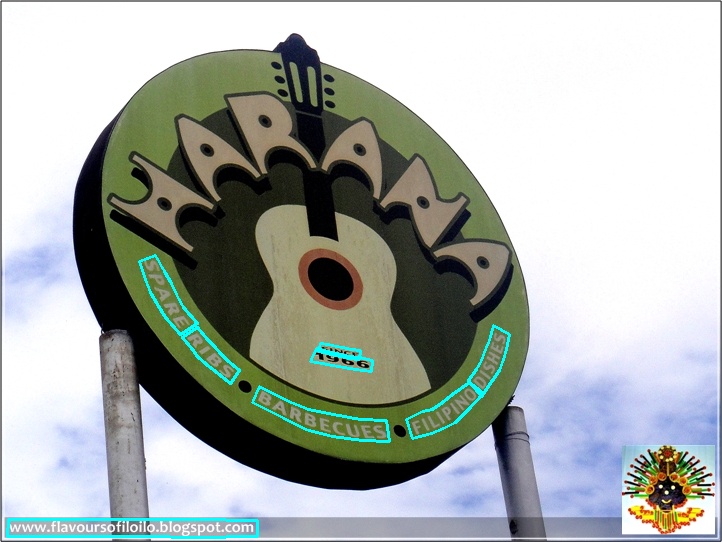
Text detection is a classic problem in computer vision. Curved text is particularly challenging due to its free-form nature. In this post, we will demonstrate how to perform curved text detection using PaddleOCR.
Setup Environment
Create a virtual environment named paddle_env.
conda create --name paddle_env python=3.8Activate the environment:
conda activate paddle_env Install PaddlePaddle and PaddleOCR packages using pip:
python -m pip install paddlepaddle
pip install "paddleocr>=2.0.1" # Recommended to use version 2.0.1+
Test Environment
Verify the installation:
wget https://paddleocr.bj.bcebos.com/dygraph_v2.1/ppocr_img.zip
unzip ppocr_img.zip
paddleocr --image_dir ./ppocr_img/imgs_en/img_12.jpg \
        --use_angle_cls true --lang en --use_gpu false
Curved Text Detection with SAST
Clone the PaddleOCR repository from GitHub and switch to the dynamic graph branch:
git clone https://github.com/PaddlePaddle/PaddleOCR.git
cd PaddleOCR
git checkout dygraph
Download the SAST training model:
mkdir models
cd models
wget https://paddleocr.bj.bcebos.com/dygraph_v2.0/en/det_r50_vd_sast_totaltext_v2.0_train.tar
tar -xvf det_r50_vd_sast_totaltext_v2.0_train.tar
cd - # Return to the PaddleOCR repository path
The SAST training model must be converted into an inference model before use:
python tools/export_model.py -c configs/det/det_r50_vd_sast_totaltext.yml \
        -o Global.pretrained_model=./models/det_r50_vd_sast_totaltext_v2.0_train/best_accuracy \
        Global.save_inference_dir=./inference/det_sast_tt
Once the conversion is successful, a new folder named inference will be created.
You are now ready to run curved text detection:
python tools/infer/predict_det.py --det_algorithm="SAST" \
        --image_dir="./doc/imgs_en/img623.jpg" \
        --det_model_dir="./inference/det_sast_tt/" \
        --det_sast_polygon=True